Exam Manager-Free Software for Higher Secondary Terminal/Model Exam Management
Advertisement
HseManager is a software created for the smooth conduct of the exam and to co-ordinate the activities at the school level while conducting higher secondary public examination annually. Exam Manager software is another contribution for the higher secondary schools by Dr.Sajan Matthew who developed HSE Manager. It is a tool which enabled to handle the activities at the school level while the terminal exam for the first and the second year are conducted jointly. All reports for the conduct of term exam would be made available with certain mouse clicks. Windows/MS Access are needed to activate the software. How to download Exam Manager software and activate it, is explained here.

How to download Exam Manger
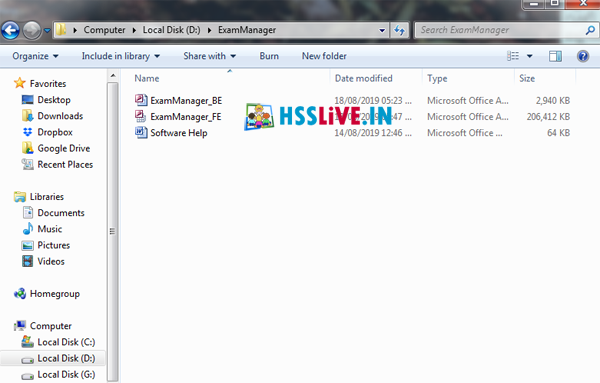
Download the exam manager software from the link given here. It is a Zip file. Extract it and save the exam Manager folder in 'D 'drive. Open the folder to open exammanager_FE while the software opens enter 'admin' as username and password and click 'Enter' button.
Basic Settings in Exam Manager
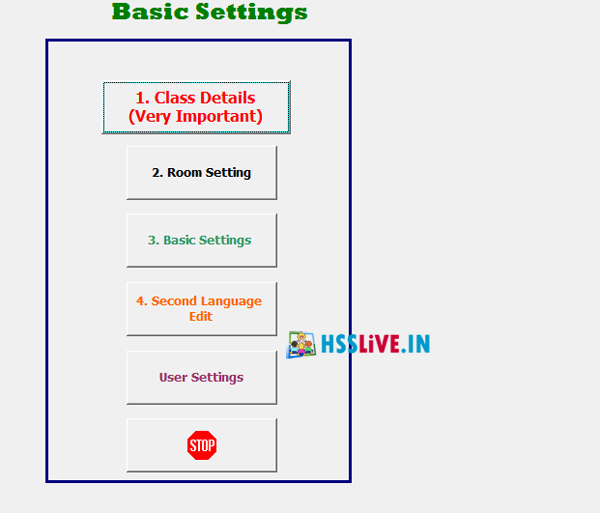
Then the opening window wood display three sections- Inputs, Others, Outputs. First click the red colour button 'Basic Settings' in 'Other section'.
How to give 'Basic Settings' is given below.
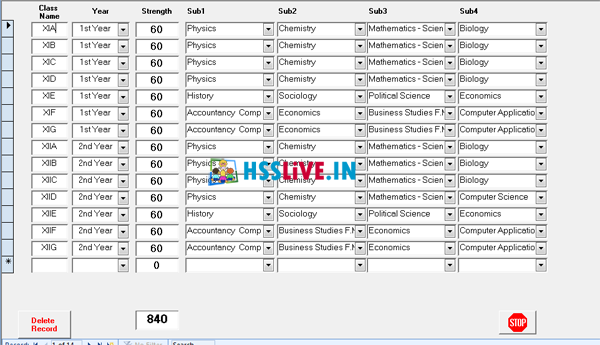
1.Class Details
Click the first button 'Class details'. Enter the details of plus one and plus two Class details of your school in the window that opens. Then enter 1st/2nd year class strength, combination, subjects etc. and close it.
2.Room Settings
Click the button, 'Room settings'. The exam hall can be set here. Give the number of desks in each room here.
3. Basic Settings
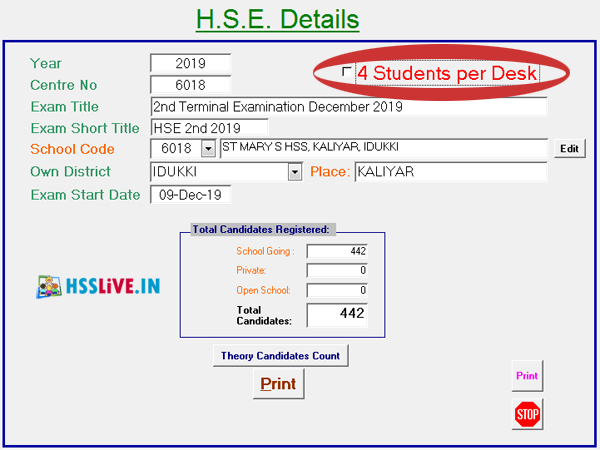
Then click the button, 'Basic settings', enter School code in the red letter School code field and press 'Enter' then give place ,check exam start date and total candidates etc. Option for including 4 students per desk is also available.
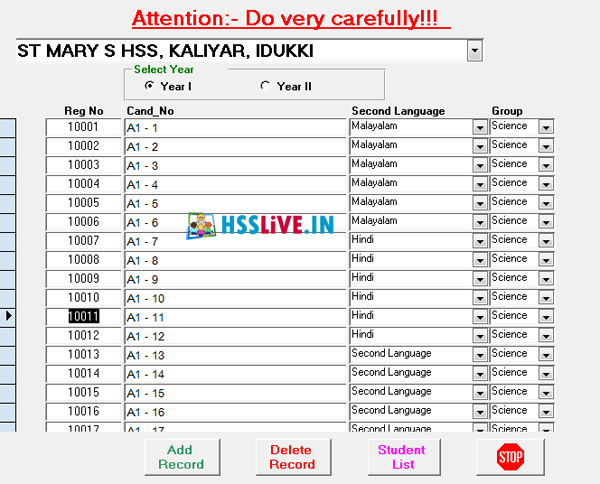
Second Language Edit :
Click this button to set second language of students. Editing can be done if needed.
Time Table :
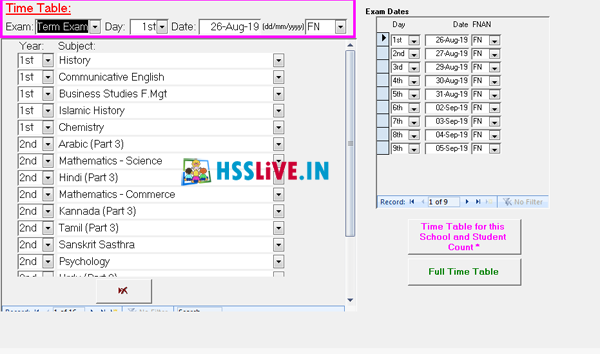
Click this button to set time table. Editing can be done if needed.
Seating:
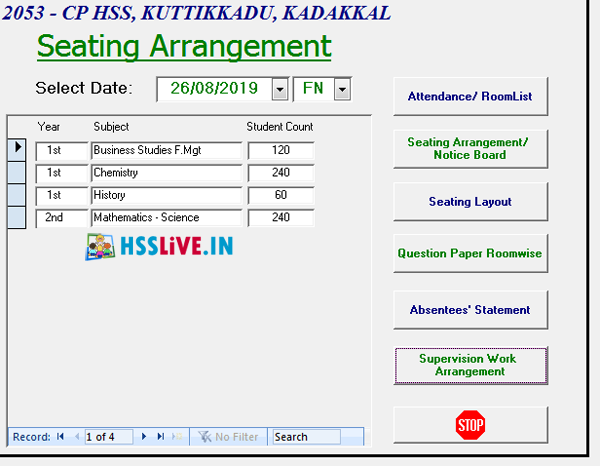
All reports for the exam are available here. Select date, forenoon or afternoon to view the exam subjects on the date and number of students. From here print out can be taken for attendance, seating arrangement, seating layout, room wise question paper, absentee statement, supervision work arrangement etc
Staff details:
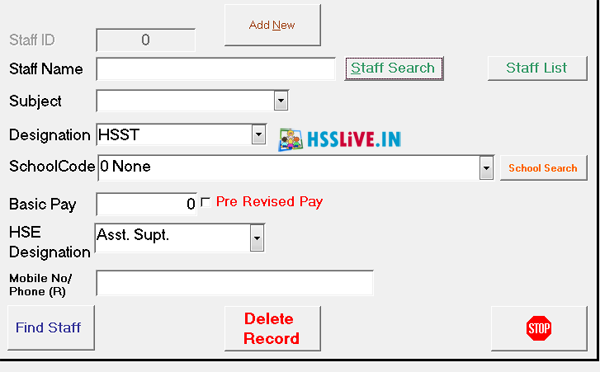
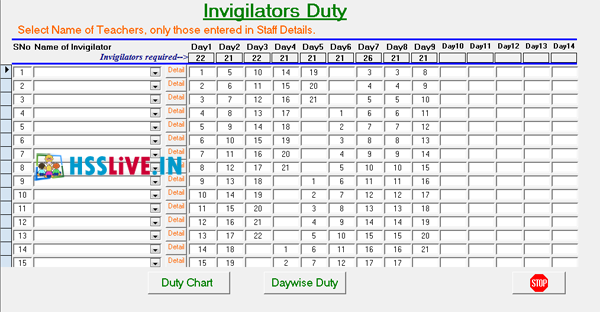
Teachers who have been assigned supervision for invigilation duty can be entered here.
Invigilation duty :
Duty chart, day wise duty are available in this menu.
| Software |
|---|
| Exam Manager 32 bit for Higher secondary Model Exam 2025 by Dr.Sajan Mathew |
| Exam Manager 64 bit for Higher secondary Model Exam 2025 by Dr.Sajan Mathew |
| Exam Manager Help File(PDF) |
Advertisement